
When using C2C trading, please ensure your app is updated to the latest version and your identity has been verified. The payment bank card must be a real-name card under the verified identity.
1. How to Buy Crypto on the App:
1)Log in to your BitTap account and go to[Buy Coins] - [Quick Buy Coins] – select a merchant and tap Buy
2)
Enter the amount or quantity of crypto needed
Pay attention to the merchant’s [payment method] and [payment time limit]
Tap [Choose Payment Method] and confirm the order
Tap [Get Payment Details] to view merchant account info
Complete the payment via the merchant's account
Tap [I Have Paid]
Once the merchant confirms receipt, crypto will be released to your account.
3)Tap [I Have I completed the payment]---Once the merchant confirms receipt, crypto will be released to your account.
2. How to View Order History
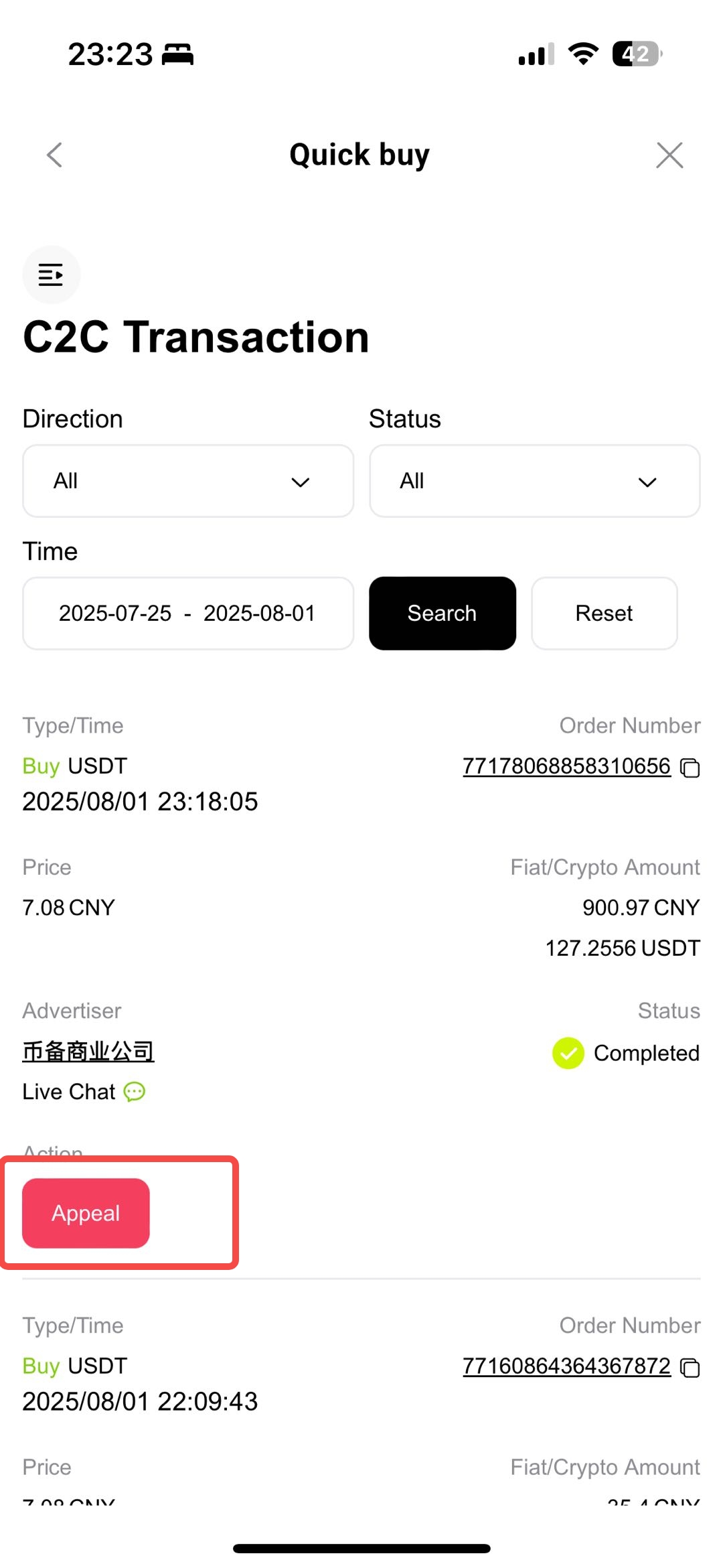
Go to the App homepage → [C2C Trading] - [Order History] → Choose the order status to view details.
3. What If the Merchant Does Not Release Crypto?
Method 1: From Abnormal Orders, tap [please contact customer service], select the issue type, and enter live chat.
Method 2: From [Order History]
-
Go to [Order History], find the relevant order, tap [Appeal]
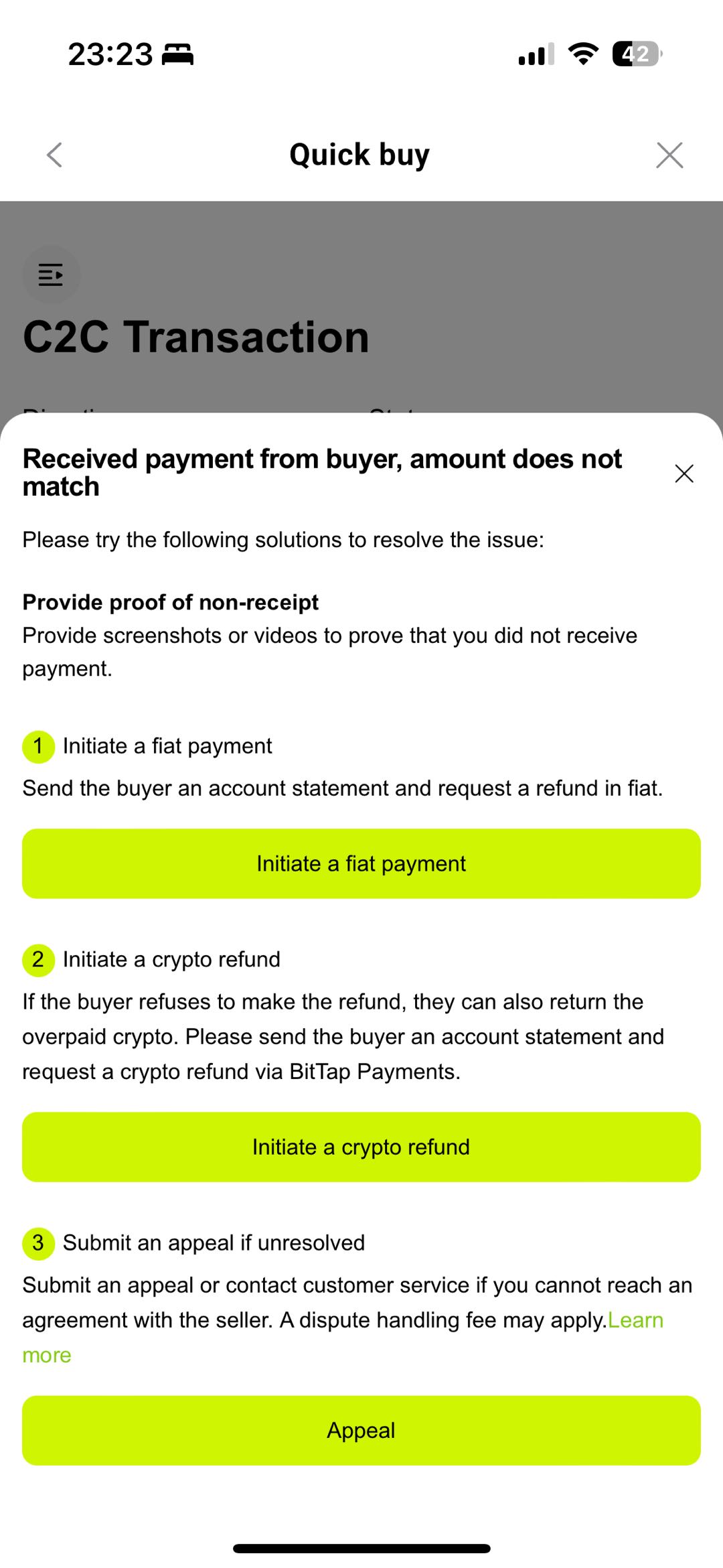
Choose the issue (e.g., Deposit and Withdrawal)
Tap [Start the Chat]
Submit the appeal, and customer support will intervene and follow up promptly.
4. Trading EligibilityAll users must complete KYC (basic level)
Must bind at least two of: email, phone, or Google Authenticator
Maximum 3 order cancellations per day
Only one active order (status: "Open"/"Paid") allowed at a time
5. Order Status Explanation
Open: Order created, awaiting payment
Paid: Buyer marked as paid, awaiting release
Completed T+N: Crypto released, in lock-up period
Completed: Transaction fully completed
Cancelled: Order cancelled
Appeal: Order under dispute
BitTap uses an escrow mechanism to ensure both parties’ rights. Crypto is locked during the trade and released automatically upon completion.
6. Appeals and Customer Support
If any issues arise (e.g., payment not received, release issues, info mismatch), tap "Appeal" on the order details page, submit evidence, and our team will investigate and resolve accordingly.
7. Platform Vision & Risk Reminder
BitTap is committed to a secure, transparent, and efficient C2C trading environment.
Please note:
Always verify payment details before sending funds or releasing crypto
Do not release crypto before confirming receipt to avoid losses
Do not communicate or transfer outside the platform
8. Links & Support Channels
Download BitTap App: https://www.bittap.com/download
Official Help Center: https://www.bittap.com/help
Online Support: Monday to Sunday, 09:00–21:00 (UTC+8)
Thank you for choosing BitTap. We will continue improving our platform to empower global users in crypto trading.